
ChatGPT Desktop App Bundles LibreOffice & Dev Runtimes


Key Takeaways
- The ChatGPT desktop app, previously known as Codex, bundles a full copy of the open-source LibreOffice office suite.
- The application also includes complete installations of Python and Node.js.
- OpenAI has integrated the GPT-5.4 model into ChatGPT, Codex, and via API.
Recent architectural discoveries regarding the ChatGPT desktop application have revealed that the software carries a surprisingly significant amount of bundled third-party software. Simon Willison's Weblog reports that the application, which was previously branded as Codex, includes a full copy of the LibreOffice open-source office suite, tucked away in a hidden directory. This discovery has sparked widespread discussion among developers regarding the bloat and the specific functional requirements of OpenAI's desktop strategy.
Technical Infrastructure and Bundled Runtimes
Beyond the unexpected inclusion of office software, the application's technical footprint is extensive. Simon Willison's Weblog notes that the ChatGPT desktop app also bundles a full Python installation and a full Node.js installation. This integrated environment appears to be designed to support complex rendering and execution tasks locally on the user's machine, rather than relying solely on cloud-based processing.
The practical implications of these bundled runtimes have already surfaced in developer troubleshooting forums. A GitHub issue for OpenAI Codex highlights a specific scenario where a script named render_docx.py failed on Windows systems when interacting with LibreOffice. In this instance, developers found that installing pypdfium2 into the bundled Codex Python runtime as a fallback allowed the renderer to complete successfully with exit code 0. This confirms that the bundled LibreOffice installation is not merely dormant but is actively used for document processing and rendering tasks within the app's ecosystem.
Expanding the Ecosystem: GPT-5.4 and Codex
The software's capabilities are further bolstered by OpenAI's latest model releases. Neowin reports that OpenAI announced GPT-5.4, described as its most powerful model specifically tailored for professional tasks. This model is available via API and is integrated within both the standard ChatGPT interface and Codex. To cater to different user needs, ChatGPT users can access this model through two distinct variants: GPT-5.4 Thinking, designed for complex reasoning, and the standard GPT-5.4.
The integration of Codex into the desktop experience represents a shift toward a more unified toolset. Neowin further notes that OpenAI has launched a unified ChatGPT desktop app for Windows and Mac users that integrates Codex and includes a built-in browser. This allows the AI to interact more seamlessly with web content and local files, bridging the gap between a chat interface and a full productivity suite.
Cross-Platform Availability and Linux Support
While initially focused on macOS and Windows, the reach of the ChatGPT desktop application has expanded. Phoronix reports that OpenAI has brought the ChatGPT desktop app to Linux, ensuring that developers and power users on open-source operating systems have access to the same integrated environment. This move is significant given the app's reliance on bundled runtimes like Python and Node.js, which are native to the Linux philosophy but require careful packaging for a consistent user experience across different distributions.
The broader trend of AI agents interacting with desktop environments is also accelerating. OSWorld 2.0 reports that benchmarking computer-use agents shows a high success rate in solving desktop tasks, with models like Claude Opus reaching 83.5% on OSWorld-Verified tasks. This suggests that the infrastructure OpenAI is building—bundling runtimes and office suites—is part of a larger industry move toward "Computer Use" AI that can manipulate software and files just as a human would.
Developer Tools, SDKs, and Plugin Architecture
For those building on the platform, the ecosystem provides deep integration tools. The MCP servers agent skills library provides resources to build, scaffold, refactor, and troubleshoot ChatGPT Apps SDK applications. These applications are designed to combine a widget UI with an MCP server, which is particularly useful when Codex is required to design specialized tools for the end user.
The software's flexibility is further enhanced by its plugin architecture. ChatGPT Learn documentation explains that plugins operate seamlessly across the web, mobile, and desktop versions of ChatGPT, as well as within Codex in the desktop app. To streamline the discovery of these tools, the Codex CLI features its own dedicated plugin browser, allowing developers to extend the functionality of their local AI environment without leaving the terminal.
The Strategic Logic Behind Bundling
The decision to bundle LibreOffice, Python, and Node.js suggests that OpenAI is moving away from a simple "wrapper" app toward a local execution engine. By including LibreOffice, the app can convert documents (like .docx to PDF) without requiring the user to have Microsoft Office installed. By bundling Python and Node.js, OpenAI ensures that the code execution environments are consistent regardless of the user's system configuration, preventing the "it works on my machine" problem that plagues many developer tools.
This approach aligns with the goals of professional-grade AI. As GPT-5.4 handles more complex professional tasks, the ability to render documents, execute scripts, and interact with the local OS becomes a necessity rather than a luxury. The integration of a built-in browser and the ability to react to app events further positions the ChatGPT desktop app as a central hub for productivity rather than just a chat interface.
Relevant solution
Website Development
Custom website development — fast, modern, ready to sell.
Related Articles
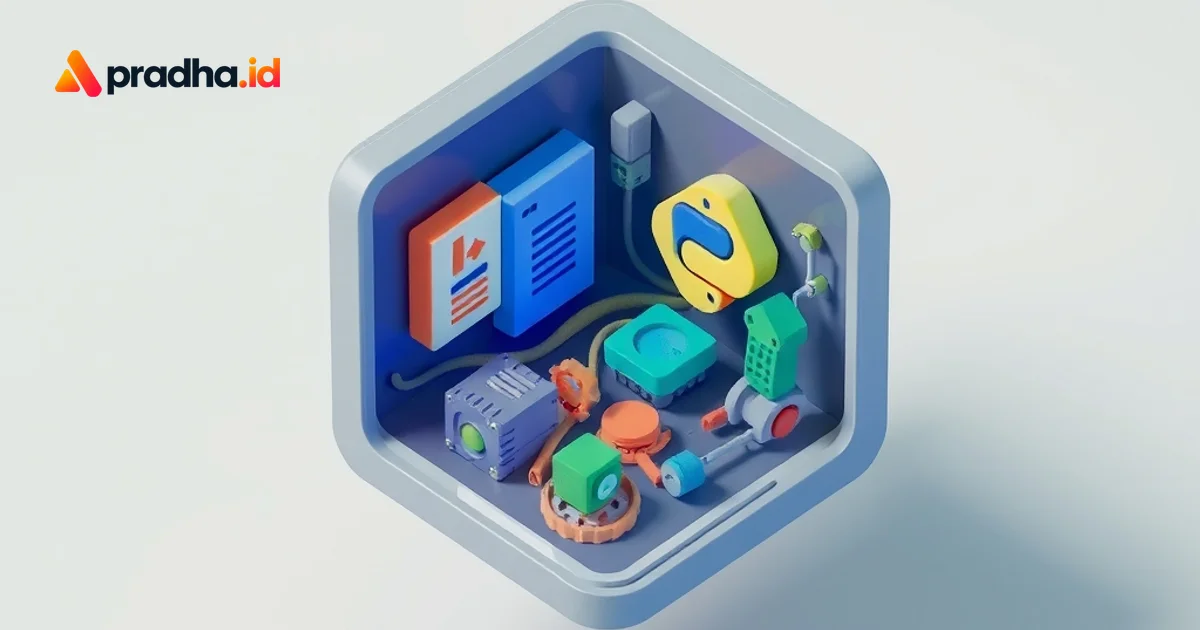
ChatGPT Desktop Bundel LibreOffice, Python, dan Node.js
Aplikasi desktop ChatGPT ditemukan membundel LibreOffice, Python, dan Node.js dalam runtime sebesar 1,7GB. Temukan bagaimana infrastruktur kompleks ini mendukung fitur rendering dokumen dan produktivitas harian.
Panduan Lengkap Node.js, npm, dan npx untuk Developer Modern
Kupas tuntas ekosistem Node.js, perbedaan vital antara npm dan npx, serta implementasinya pada React dan Next.js untuk membangun aplikasi modern yang skalabel.

Apa Itu MERN Stack? Panduan Lengkap Full-Stack JavaScript
Ingin jadi Full-Stack Developer? Pelajari MERN Stack, kombinasi powerful MongoDB, Express, React, dan Node.js yang memungkinkan Anda membangun aplikasi web modern hanya dengan JavaScript.
Membangun API RESTful dengan Node.js & Express: Dari Tutorial Superficial ke Implementasi Nyata di Indonesia
Saya mengupas tuntas proses membangun RESTful API dengan Express, menelusuri jebakan tutorial dangkal, meneliti fondasi teknis, hingga mengatasi tantangan...
Dapatkan Artikel Terbaru!
Berlangganan newsletter kami untuk mendapatkan tips dan insight menarik langsung ke inbox Anda.
Kami tidak akan pernah membagikan email Anda (No Spam).